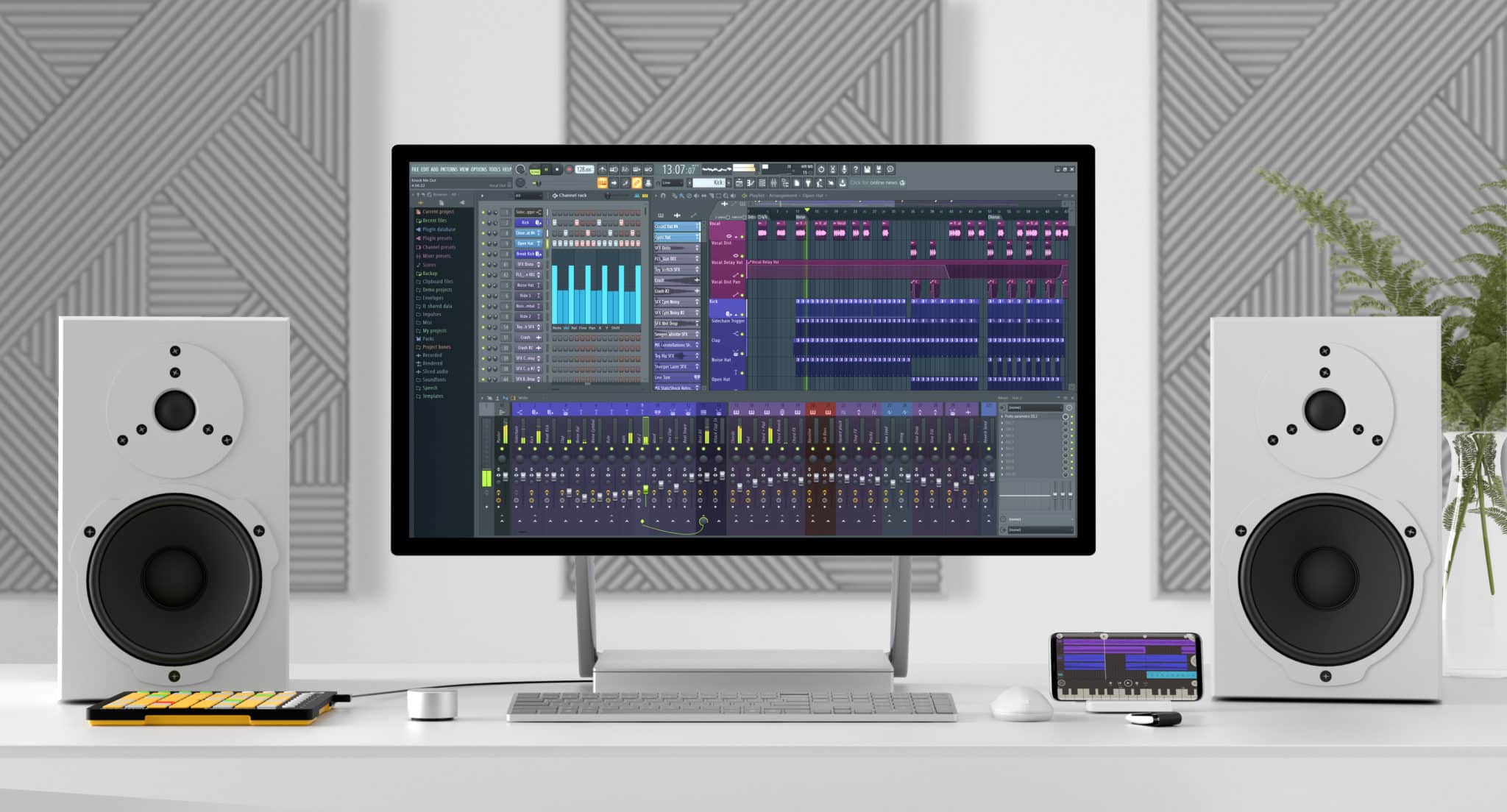
FL Studio Course
Build Beats. Shape Sound. Finish Tracks.
FL Studio has become a go-to DAW for electronic music producers and beat-makers around the world—but whatever your genre, if FL is your weapon of choice, and you want your name on this list of notable users, this course will give you the tools and confidence to have the best chance.
Whether you're a complete beginner or already making tracks in FL, this 36-hour course delivers deep, structured training in music production, beat-making, and engineering. We cover every major element in detail, packed with real-world tips and techniques that even experienced users find game-changing. You’ll leave with a solid workflow, polished production skills, and a competitive edge over anyone stuck in YouTube rabbit holes.
Classes are live and interactive—in-person or live online—so you can ask questions and get feedback in the momentwhen you're inspired... or confused. It’s this kind of immediate, practical support that makes in-person learning so effective.
Main Menu Bar
- →File Menu
- →Edit Menu
- →Add Menu
- →Patterns Menu
- →View Menu
- →Options Menu
- →Tools Menu
- →Help Menu
Toolbar
- →Editing the Toolbar
- →Main Menu
- →Title & Hint Panel
- →Transport Panel
- →CPU & Memory Panel
- →Global Snap Panel
- →Output Panel
- →Online Panel
- →Pattern Panel
- →Shortcut Icons
- →Time Panel
- →Multilink Controllers Icon
- →Main Volume & Pitch Panel
- →Window Controls
File Browser
- →Plugin Database
- →Project Browser
- →Advanced folder stuff
Channel Rack & Step Sequencer
→ Channel Button Menu
Channel Settings
- →Main Control
- →Sampler Setting
- →Instrument Setting
- →Miscellaneous Setting
- →Automation Clip Setting
- →Layer Setting
- →Plugin Window Setting
Piano Roll
- →Piano Roll Arpeggiator
- →Piano Roll Articulator
- →Piano Roll Chopper
- →Piano Roll Claw Machine
- →Piano Roll Flam Tool
- →Piano Roll Flip Tool
- →Piano Roll LFO Tool
- →Piano Roll Key Limiter Tool
- →Piano Roll Menu
- →Import MIDI Data Dialog
- →Piano Roll Quantizer
- →Piano Roll Randomizer
- →Riff Machine
- →Piano Roll Scale Level Tool
- →Piano Roll Strum Tool
Playlist
- →Patterns
- →Audio Clips
- →Automation Clips
- →Performance Mode
Instrument / Generator Plugins
→ We explore all the instruments FL studio has to offer, which are too many to list here!
Mixer & Mixing
→ We dive deep into the vast mixing tools that come with FL Studio, which are too many to list here!
Installing & Using VST / AU Plugins
Recording: Audio, Notes & Automation
- →Audio Recording
- →Audio Interfaces (USB Microphones)
- →Note Recording
- →Note Step Entry
- →Automation Recording
- →Linking USB/MIDI Controllers
- →MIDI Scripting
- →Preconfigured Controllers (USB/MIDI)
- →Linking Internal Controller Plugins
- →Mapping Formula
- →Automation Clips
- →Automation Event Editor
- →LFO Tool
- →Scale Levels Tool
- →Import MIDI Data Tool
Edison Wave Editor & Recorder
- →Edison: Sample Properties
- →Edison: Amp Tool
- →Edison: Blur Tool
- →Edison: Convolution / Reverb Tool
- →Edison: Claw Machine Tool
- →Edison: Drum Tool
- →Edison: Equalize Tool
- →Edison: Noise Removal Tool
- →Edison: Script Tool
- →Edison: Time Stretch / Pitch Shift Tool
- →Edison: Tune Loop Tool
ReWire Support
- →Client Mode
- →Host Mode
Installing & Using VST / AU Plugins
→ FL Studio as a Plugin (VST / AU)
What our students say.
“Sharing and learning from a legendary Producer/Engineer is priceless and incredible.”
Pablo Toscano
Frequently asked questions.
Ready to get started?
Enroll nowWhy choose Garnish?
Related reading.
Logic pro 9 Environment Chord Memorizer: Musical tips
Logic pro 9 Environment Chord Memorizer: Musical tips: One object I have in my music production environment click and ports layer is the Chord Memorizer, which can be a great music trick for DJ's with limited musical skills. The Chord Memorizer can be a useful music production music theory fix for D
Read →Simple Tips to Get Your Mixing Off to A Quick Start
You’ve completed your recordings and now it’s time to put them all together. If you ask any experienced mixing engineer, they will tell you that they have a system they use every time they want to mix a project.
Read →Logic Pro 9 training: Environment layer – Click and Ports
Logic Pro 9 training: Environment layer - Click and Ports: Many people are a bit scared of Logic Pro 9's environment and it even puts people off using Logic Pro as a DAW altogether. Logic Pro/Studio's Environment is the foundation that Logic is built on. It's been around since the birth of Logic in
Read →Music Video Ideas for Artists — That Aren’t Music Videos
Did you know that YouTube traffic makes up nearly a ⅕ of ALL internet traffic? Similarly, quite a bit of that is music consumption. It’s also common for labels to upload an audio tracks as video for YouTube,
Read →Camel Audio’s Alchemy, NI’s Absynth and Propellerhead’s Malstrom
Additive Synthesis: breaks sound down into its harmonics, creating timbre by adding sine waves together Granular Synthesis: creating sounds by playing waveforms and/or samples through a synthesis engine that operates like a sampler on the microsound time scale So, what can you achieve by running som
Read →Audio Interfaces
Audio Interfaces An audio interface is a piece of hardware that connects musical instruments, microphones, and other sound sources to a computer. The audio interface acts as a bridge between the analog audio signals from the instruments and the digital signals that the computer can understand and pr
Read →